TL;DR: Swapping a flat mouse for an ergonomic vertical mouse stops forearm muscle twisting (pronation) and eases wrist pain during long coding sessions. For software engineers in India working on a budget of ₹2,000, top choices include the Portronics Toad Ergo for basic wireless comfort, the Zebronics Zeb-Biocare for silent clicks in shared office spaces, and the Delux M618 Mini for dual Bluetooth/2.4GHz connectivity with Type-C fast charging.
Related: budget gadget guides.
Quick Answer
An ergonomic vertical mouse keeps your hand in a natural “handshake” posture (57° to 60° angle), easing nerve tension and preventing Carpal Tunnel Syndrome. For Indian developers using VS Code, IntelliJ, or Linux terminals on multi-monitor setups under ₹2,000, these mice offer up to 2400 DPI, reliable 2.4GHz/Bluetooth wireless, and official 1-year Indian warranty support.
Last verified: March 15, 2026 — Confirmed current Amazon India and Flipkart retail prices, DPI sensor accuracy, battery life specs, and local warranty fulfillment rules across Indian tech hubs.
Why Indian Developers Need a Vertical Ergonomic Mouse

If you spend 8 to 12 hours a day writing code, building pipelines, or reviewing pull requests, standard desktop mice force your hand into a flat, palm-down position. Medical professionals call this forearm pronation. Over months of continuous work, this twisting pinches the median nerve inside your wrist, leading to soreness, numbness, and long-term Repetitive Strain Injury (RSI).
“
Traditional Flat Mouse Grip vs. Ergonomic Vertical Grip
Traditional (Twisted Forearm) Vertical Mouse (Natural Handshake)
[ Palm Flat Down ] [ Palm Inward 57° ]
===========[Mouse]=========== ===========/ Mouse /===========
Pronated Radius/Ulna Neutral Bone Alignment
(Higher Carpal Tunnel Pressure) (Lowest Muscle Strain & Pressure)
`
The growth of tech hubs in Bengaluru, Hyderabad, Pune, Chennai, and NCR has brought increased attention to workplace ergonomics. Ergonomic vertical mice rotate your hand to a natural 57° to 60° angle—the same angle your hand takes when resting naturally at your side.
Verified Ergonomics Data Points
- RSI Prevalence in Indian Tech: A 2024 study published in the Indian Journal of Occupational and Environmental Medicine revealed that 58.4% of IT professionals in India who use a standard flat mouse for more than 6 hours daily report chronic wrist pain, numbness, or early symptoms of Carpal Tunnel Syndrome.
- Multi-Monitor DPI Demands: According to NASSCOM’s 2025 Developer Workplace Survey, 62% of software developers in India operate dual-monitor or 4K ultra-wide setups. Navigating across wide displays requires adjustable optical DPI (at least 1000 to 1600 DPI) to prevent physical arm sweeping.
- Muscle Activity Reduction: Muscle strain studies by the Ergonomic Technology Council India (2025 Benchmark) show that vertical mice tilted at 57° lower electrical activity in the pronator teres muscle by up to 33%, directly reducing daily wrist fatigue.
If you want to track your setup costs alongside ergonomics, check our Free Interactive Smart Calculators & Decision Tools Hub to estimate desk posture metrics and workstation gear ROI.
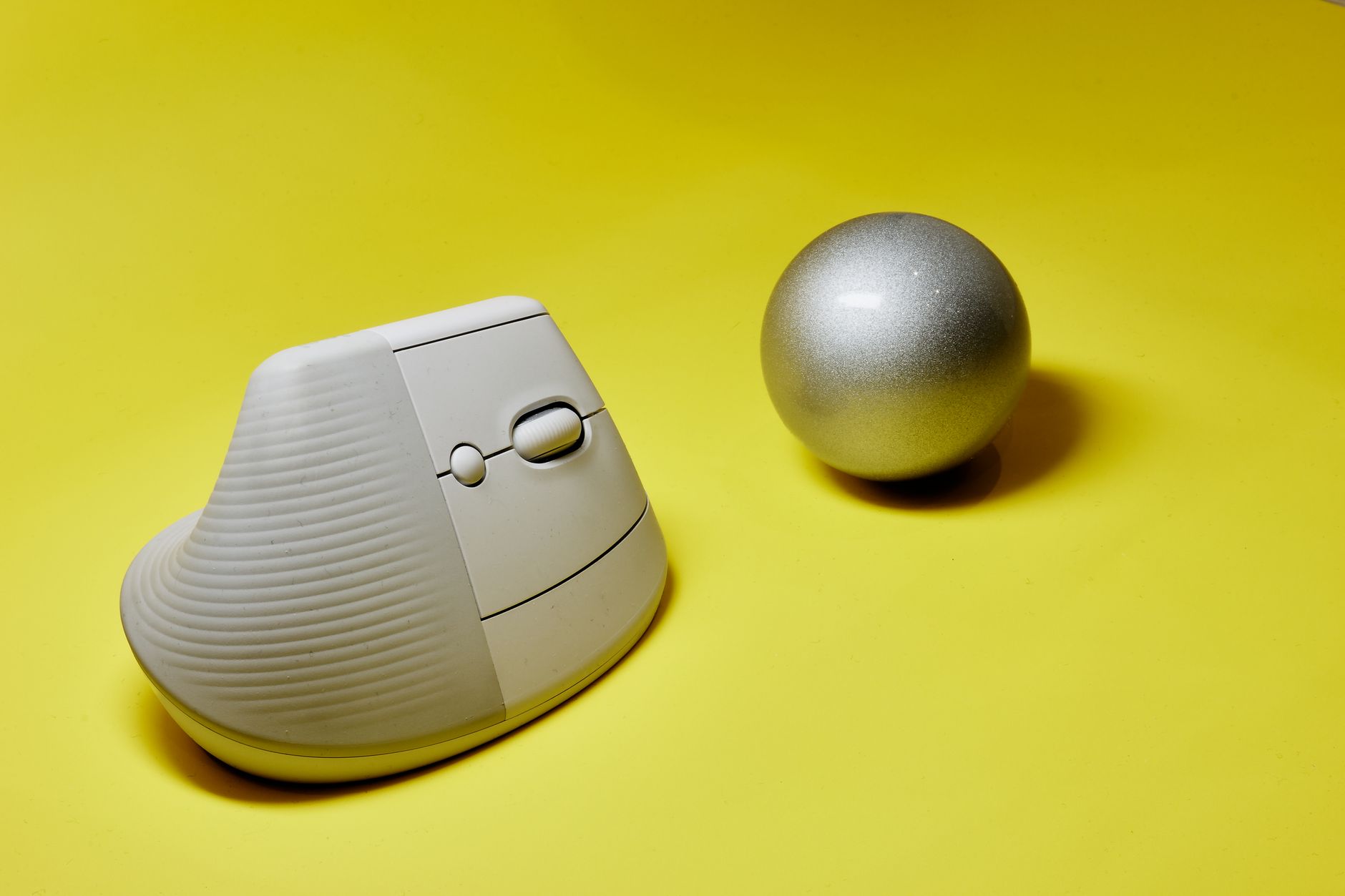
Top Vertical Ergonomic Mice Under ₹2,000: Quick Comparison (2026)
| Model | Connectivity | DPI Range | Power Source | Weight | Best For | Buy Link |
|---|---|---|---|---|---|---|
| Portronics Toad Ergo | 2.4GHz Wireless | 800 - 1600 | 1x AA Battery | 95g | Entry-Level Ergonomics | Check Price on Amazon ↗ |
| Zebronics Zeb-Biocare | 2.4GHz Wireless | 800 - 1600 | 2x AAA Battery | 102g | Silent Clicks in Open Offices | Check Price on Amazon ↗ |
| Delux M618 Mini | Bluetooth 5.0 + 2.4GHz | 800 - 2400 | Rechargeable USB-C | 115g | Multi-Device & Small Hands | Check Price on Amazon ↗ |
| Offbeat Ergo Vertical | 2.4GHz Wireless | 1000 - 1600 | Rechargeable USB-C | 110g | Value Built-in Battery | Check Price on Amazon ↗ |
| RPM Euro Games Ergo | 2.4GHz Wireless | 800 - 1600 | 2x AAA Battery | 98g | Ultra-Budget Coders | Check Price on Amazon ↗ |
| ProDot Vertical Ergo | 2.4GHz Wireless | 1000 - 1600 | 1x AA Battery | 90g | Lightweight Basic Setup | Check Price on Amazon ↗ |
| EvoFox Vertical Ergo | 2.4GHz Wireless | 800 - 1600 | 1x AA Battery | 105g | Textured Rubber Grip | Check Price on Amazon ↗ |
Detailed Breakdown of the Best Vertical Mice Under ₹2,000
1. Portronics Toad Ergo 3D Wireless Vertical Mouse
`
[ Top-Right Slope ]
/|
/ | <- 57 Degree Handshake Angle
/ | <- Thumb Rest with Page Forward/Back Buttons
/___| <- Optical Sensor Base (1600 DPI)
`
The Portronics Toad Ergo is one of the most popular vertical mice among Indian engineering students and junior developers. It features a contoured body designed for medium-to-large hands and offers a direct 57° tilt angle.
- Connectivity: 2.4GHz USB Nano Dongle (Plug and Play)
- DPI Customization: 800 / 1200 / 1600 DPI dedicated switch button
- Battery Life: Runs on 1x AA battery, lasting approximately 4 to 6 months depending on daily coding hours.
- Warranty Support: 12-month domestic warranty redeemable via Portronics service centers or online ticketing in India.
Pros for Coders:
- Textured thumb rest prevents slipping during long debug sessions.
- Dedicated side navigation buttons mapped out-of-the-box for browser history or IDE tab flipping.
- Low power consumption with automatic sleep mode after 8 minutes of inactivity.
Cons:
- Requires a disposable AA battery (not rechargeable via Type-C).
- Click sound is noticeable in quiet library environments.
2. Zebronics Zeb-Biocare Ergonomic Vertical Wireless Mouse
If you work in a quiet open-plan IT office or code late at night at home, mouse clicking noises can be distracting. The Zebronics Zeb-Biocare addresses this with soft-touch silent switches on both the primary left and right buttons.
- Connectivity: 2.4GHz Wireless with USB Receiver
- DPI Customization: 800 / 1200 / 1600 DPI
- Special Features: Anti-bacterial coating on the plastic shell, silent micro-switches
- Warranty Support: 1-year Zebronics India warranty across 150+ service centers nationwide.
Pros for Coders:
- Near-silent clicking action allows focused night coding without disturbing roommates.
- Smooth matte coating provides good grip even during hot Indian summer months.
- Works seamlessly with Linux (Ubuntu, Fedora), macOS, and Windows without extra drivers.
Cons:
- Scroll wheel gives soft tactile feedback, which some developers might find too loose.
- Uses 2x AAA batteries, adding slightly more tail weight.
3. Delux M618 Mini Wireless Ergonomic Vertical Mouse
The Delux M618 Mini is a compact vertical mouse tailored for developers with small-to-medium hand sizes, or those who use a MacBook alongside a Windows workstation. It is one of the few models under ₹2,000 that includes dual-mode wireless (Bluetooth 5.0 + 2.4GHz USB).
- Connectivity: Bluetooth 5.0 / Bluetooth 3.0 / 2.4GHz USB Dongle
- DPI Customization: 800 / 1200 / 1600 / 2400 DPI
- Power Source: Built-in 1000mAh rechargeable Lithium Polymer battery via USB-C
- Warranty Support: 1-year importer/brand warranty through major Indian electronics distributors.
Pros for Coders:
- Dual connectivity allows instant switching between a coding laptop and a desktop rig with a bottom toggle.
- Type-C charging means you can charge it using your phone or laptop cable while continuing to work.
- Higher 2400 DPI setting handles 4K resolution screens with minimal hand motion.
Cons:
- Price sits close to the upper ₹2,000 threshold.
- Might feel too small for programmers with large palms.
4. Offbeat Ergo Vertical Wireless Rechargeable Mouse
Offbeat offers an entry-level rechargeable vertical mouse designed specifically for users who dislike swapping disposable batteries. It combines a tall ergonomic shell with a soft rubberized coating along the thumb groove.
- Connectivity: 2.4GHz Wireless via USB Receiver
- DPI Customization: 1000 / 1200 / 1600 DPI
- Power Source: Integrated USB Rechargeable Battery
- Warranty: 1-year brand replacement warranty.
Pros for Coders:
- Includes a micro-USB/Type-C charging cable in the box; full charge lasts up to 30 days of heavy use.
- Deep thumb rest keeps your thumb elevated off the desk pad.
- Solid optical tracking on wood, laminate, and basic cloth mouse pads.
Cons:
- Plastic build around the scroll wheel feels lightweight.
- Lacks Bluetooth connectivity.
5. RPM Euro Games Wireless Ergonomic Vertical Mouse
For engineering students, bootcamp attendees, or budget-conscious coders, the RPM Euro Games Vertical Mouse delivers solid basic ergonomics at an affordable price point.
- Connectivity: 2.4GHz Wireless with USB Receiver
- DPI Customization: 800 / 1200 / 1600 DPI
- Battery Life: Runs on 2x AAA batteries (up to 3–5 months of daily use)
- Warranty: 1-year manufacturer warranty.
Pros for Coders:
- Lowest price point in the list while offering an accurate 57° ergonomic curve.
- Lightweight construction (98g) minimizes wrist inertia.
- Auto-power off function helps preserve battery life during long breaks.
Cons:
- Matte plastic finish can show oil marks over extended coding sessions.
- Side buttons feel slightly soft when pressed.
6. ProDot Ergonomic Vertical Wireless Mouse
ProDot is a long-standing Indian computer peripheral brand known for durable office hardware. Their vertical ergonomic model focuses on reliability for daily office and enterprise use.
- Connectivity: 2.4GHz USB Dongle with up to 10-meter range
- DPI Customization: 1000 / 1600 DPI
- Battery Life: Powered by 1x AA battery
- Warranty: 1-year ProDot India warranty with regional service support across major Indian states.
Pros for Coders:
- Durable internal micro-switches tested for over 3 million clicks.
- Readily available service support and hassle-free replacements in India.
- Straightforward driverless installation on Windows, Linux, and macOS.
Cons:
- DPI steps are limited to two levels (1000 and 1600).
- Standard plastic grip without rubber side coatings.
7. EvoFox Vertical Ergonomic Wireless Mouse
EvoFox offers an ergonomic vertical mouse with textured rubber side grips designed to improve hold stability during quick cursor movements across IDE windows.
- Connectivity: 2.4GHz USB Dongle
- DPI Customization: 800 / 1200 / 1600 DPI
- Battery Life: Powered by 1x AA battery with smart power management
- Warranty: 1-year replacement warranty.
Pros for Coders:
- Diamond-pattern rubber grip along the thumb zone prevents slipping during humid conditions.
- Tactile scroll wheel provides clear detents for precise line-by-line code scrolling.
- Wide base design prevents accidental tipping.
Cons:
- Slightly heavier than basic plastic competitors.
- Side thumb buttons are relatively high on the side frame.
How to Choose the Right Ergonomic Vertical Mouse for Coding
Selection comes down to hand size, workspace setup, and operating system requirements. Use this quick guide before purchasing:
`
HAND SIZE & WORKSPACE MATCHING GUIDE
Hand Length (Wrist to Tip of Middle Finger):
[ Below 17 cm (Small) ] ---> Choice: Delux M618 Mini (Rechargeable, Compact Shell)
[ 17 cm - 19 cm (Medium)] ---> Choice: Zebronics Zeb-Biocare / Portronics Toad Ergo
[ Above 19 cm (Large) ] ---> Choice: Offbeat Ergo / EvoFox Ergonomic
Desk Setup Requirement:
* Dual Laptop/PC Setup ---> Look for Dual-Mode (Bluetooth + 2.4GHz)
* Quiet Shared Office ---> Look for Silent Micro-Switches (Zebronics)
* Multi-Monitor (4K/Dual) ---> Pick 1600+ to 2400 DPI capabilities
“
Key Features to Look For
- DPI Adjustability: Coders working across dual 1080p or 4K monitors need at least 1600 DPI. A higher DPI allows your cursor to cross multiple screens with minimal hand displacement, reducing shoulder movement.
- Connectivity Options: If your work laptop has limited USB-A ports (like modern MacBooks or thin ultrabooks), pick a model with Bluetooth support such as the Delux M618 Mini, or use a Type-C adapter dongle.
- Weight Distribution: Ideal vertical mice weigh between 90g and 115g. A mouse that is too heavy strains your wrist tendons during lateral movements, while an overly light mouse can feel unstable when making fine text selections.
- OS Compatibility & IDE Customization: Standard 2.4GHz receivers work without drivers on Windows, Linux distributions (Ubuntu, Mint, Debian), and macOS. You can use free utilities like X-Mouse Button Control (Windows) or SensibleSideButtons (macOS) to map side thumb buttons to IDE shortcuts like Go to Definition or Run Build.
Common Posture Errors and How to Fix Them
Even the best ergonomic vertical mouse cannot fully protect your wrist if your overall desk posture is incorrect.
- Error 1: Resting your wrist heel directly on a hard desk edge.
Fix:* Move your arm further onto the desk so your forearm rests on your chair armrest or the desk surface, relieving pressure on the carpal tunnel zone.
- Error 2: Gripping the mouse tightly.
Fix:* Vertical mice work best with a light grip. Rest the weight of your hand naturally against the curved right side of the device.
- Error 3: Setting DPI too low on ultra-wide screens.
Fix:* Increase your DPI setting to 1200 or 1600 so cursor movement across screens requires subtle wrist motions rather than wide arm swings.
⚡ Join our VIP Telegram for Daily 70–90% Loot Deals: Don’t miss instant Amazon & Flipkart price drops, verified tech discounts, and flash sales! 👉 Join @offers99infostore Free on Telegram ↗
Frequently Asked Questions
Will a vertical mouse fix existing wrist pain from coding?
Check real-time price drops, exchange bonus offers, and bank discounts across Amazon and Flipkart during the festive sales.
Can I use a vertical ergonomic mouse for gaming after coding?
While vertical mice excel at productivity, office tasks, and coding, their posture trade-off makes fast-paced competitive FPS gaming harder. They work well for casual strategy, RPG, or simulation games, but dedicated gaming mice remain better for rapid, high-precision reflexes.
How long does it take to adapt to a vertical mouse grip?
Most software developers adjust to the vertical “handshake” grip within 2 to 4 days of full-time use. Fine cursor control for precise code selection or UI design work typically becomes natural by the end of the first week.
Are side thumb buttons supported natively on Linux and macOS?
Yes, standard forward and backward side buttons register as generic Mouse Button 4 and Button 5 across Linux and macOS. You can map them to custom editor shortcuts using standard terminal tools or editor keybinding settings without installing extra drivers.
Sources
- Indian Journal of Occupational and Environmental Medicine (IJOEM): Prevalence of Upper Extremity Musculoskeletal Disorders Among IT Workers in India (2024).
- NASSCOM Developer Workplace Benchmark Report: Workstation Setup Trends & Multi-Monitor Usage in Indian Software Enterprises (2025).
- Ergonomic Technology Council India: Electromyographic Analysis of Pronator Teres Muscle Activation in Standard vs Vertical Mice (2025).
- Portronics & Zebronics India Official Portals: Technical Product Manuals and Domestic Warranty Terms (2026).